GNU social JP
  • FAQ
  • Login
GNU social JPは日本のGNU socialサーバーです。
Usage/ToS/admin/test/Pleroma FE
  • Public

    • Public
    • Network
    • Groups
    • Featured
    • Popular
    • People

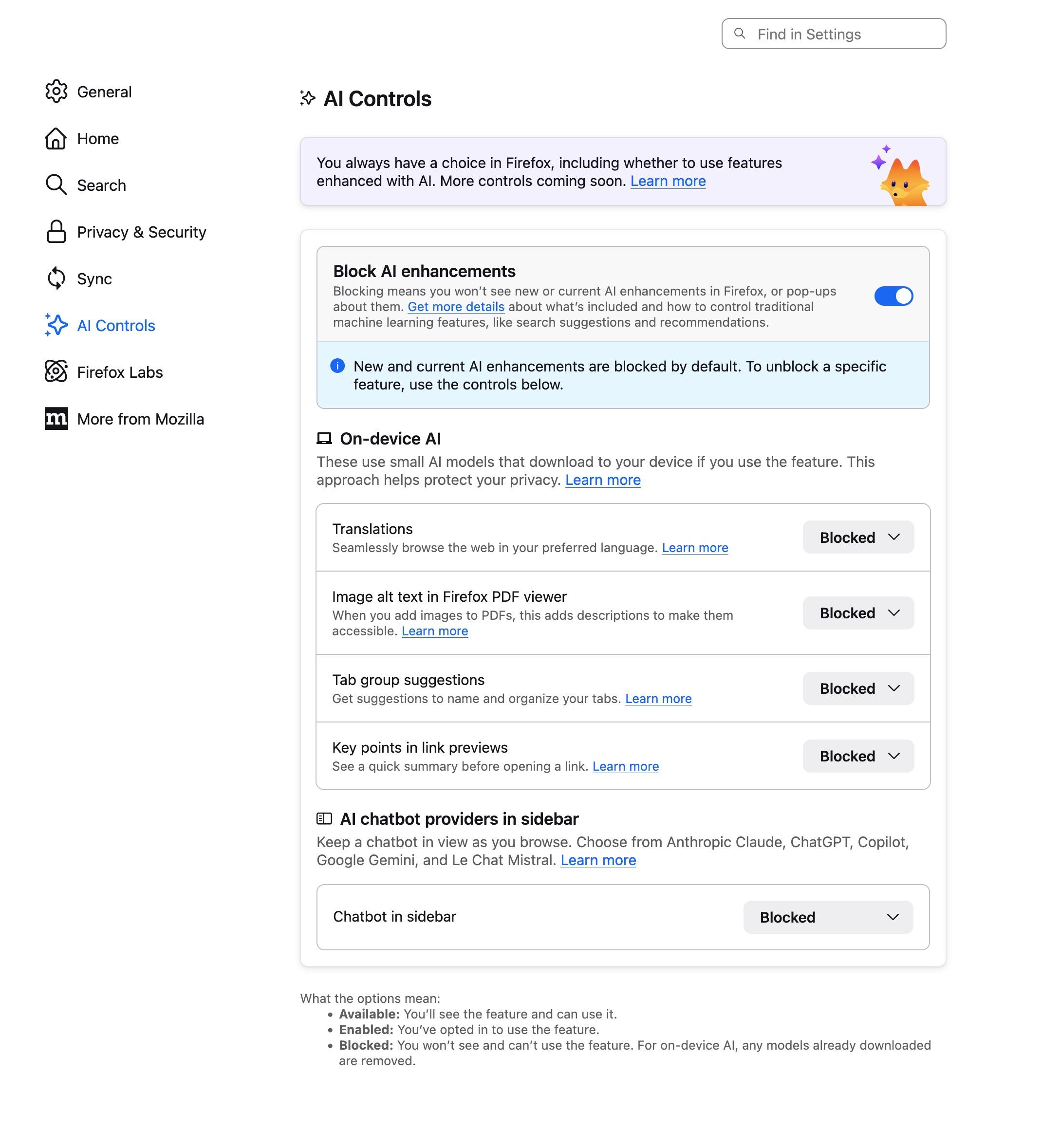
Screenshot of Firefox’s settings, highlighting a section called “AI Controls”. There is a single top-level switch to “Block AI enhancements”, as well as a series of settings to enable or disable individual “On-device AI” features like translations, image alt text in Firefox PDF view, tab group suggestions, and summarized link previews. There is also a setting to enable “AI chatbot providers in sidebar.” In the screenshot, all of these settings are set to “blocked.”

Download link

https://cdn.masto.host/followethanmarcottecom/media_attachments/files/116/138/302/280/582/804/original/13b958d03b3545a4.jpeg

Notices where this attachment appears

  1. Embed this notice
    Ethan Marcotte (beep@follow.ethanmarcotte.com)'s status on Friday, 27-Feb-2026 04:10:44 JST Ethan Marcotte Ethan Marcotte

    Just want to raise up the design of this “AI kill switch” in Firefox, and say how much I like it: it’s a top-level preference, and the design and content are both *very* clear in communicating the different levels at which you’re making decisions.

    I would *love* to see more product companies roll out something like this for their en-LLM’d features.

    In conversation about 4 months ago from follow.ethanmarcotte.com permalink
  • Help
  • About
  • FAQ
  • TOS
  • Privacy
  • Source
  • Version
  • Contact

GNU social JP is a social network, courtesy of GNU social JP管理人. It runs on GNU social, version 2.0.2-dev, available under the GNU Affero General Public License.

Creative Commons Attribution 3.0 All GNU social JP content and data are available under the Creative Commons Attribution 3.0 license.